Heft
 Heft
HeftKnow when your folders get heavy.
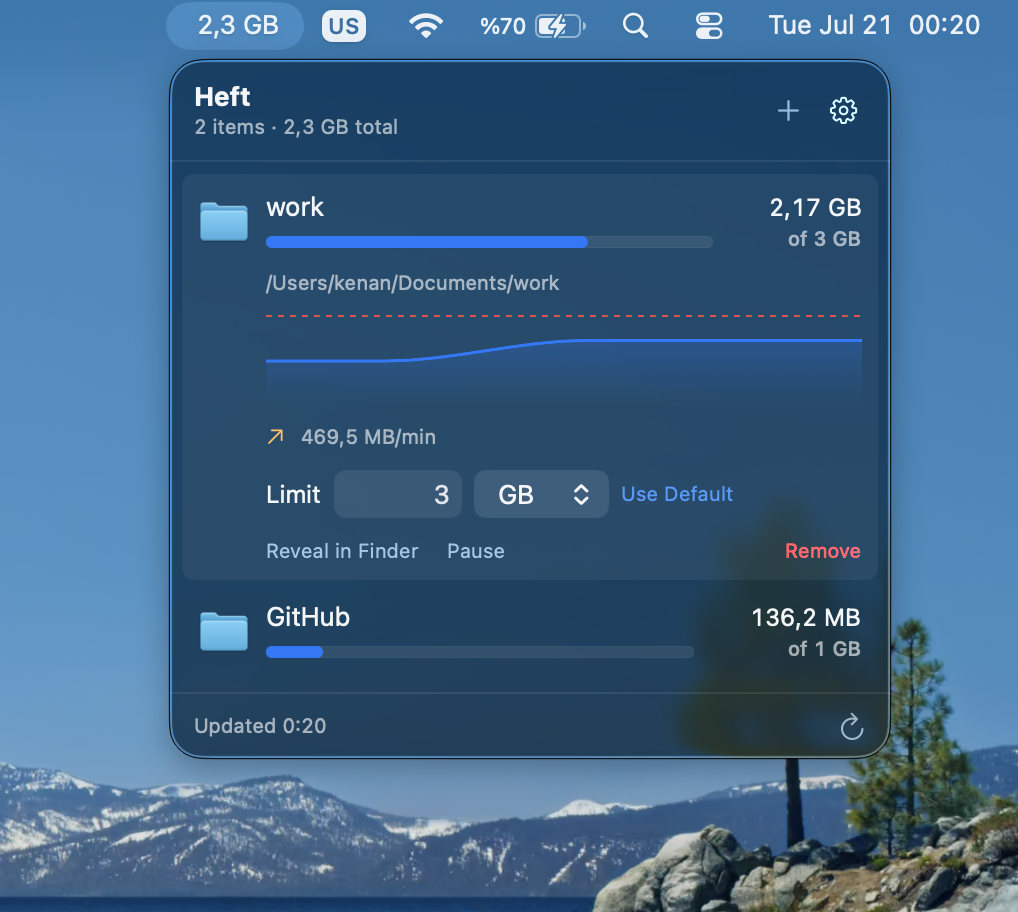
A Mac menu bar app that watches the size of the files and folders you choose, charts how fast they're growing, and turns red the moment something crosses the limit you set.
Watch the folders that always balloon
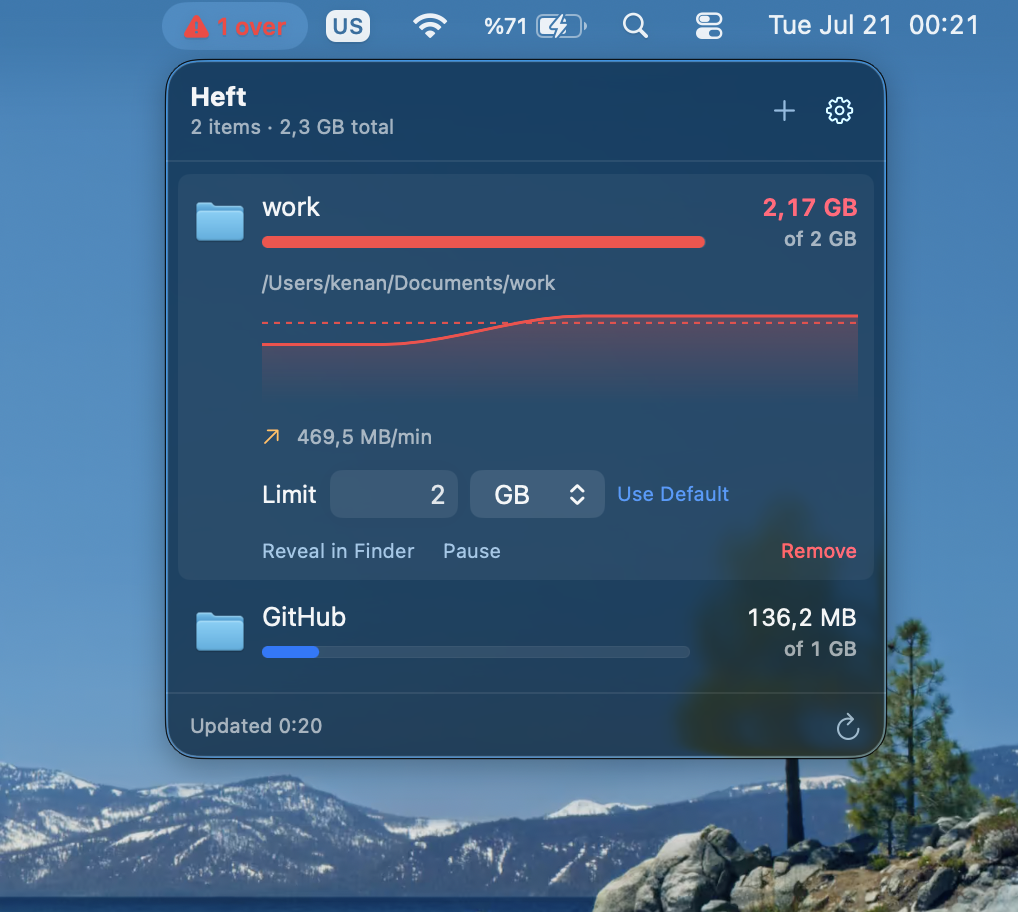
Downloads, node_modules, Docker data, video exports, log files — add any file or folder and Heft keeps an eye on its size, on a schedule you choose. The menu bar shows the running total, so you always know where you stand.
Limits that actually get your attention
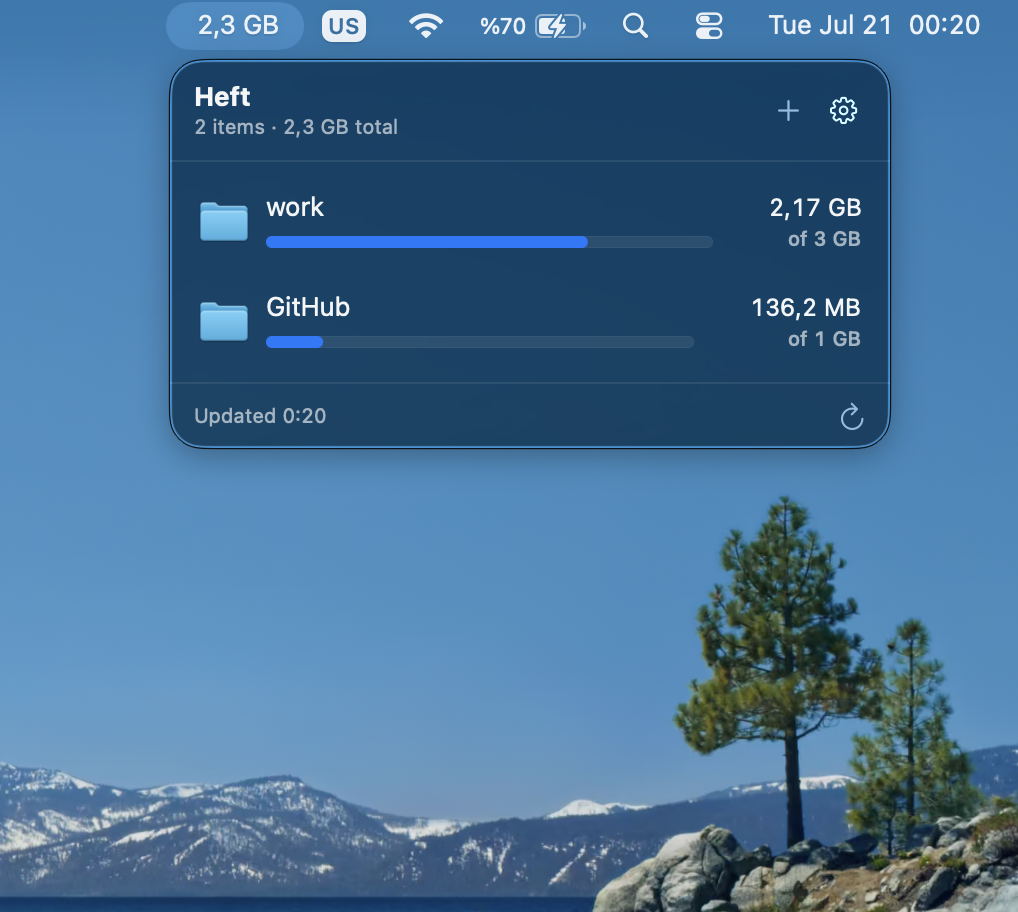
Give each item its own limit, or lean on your default. The moment something crosses the line, its bar turns red and the menu bar flips from a quiet total to a red over-limit count — long before disk-full does it for you.
See growth before it hurts
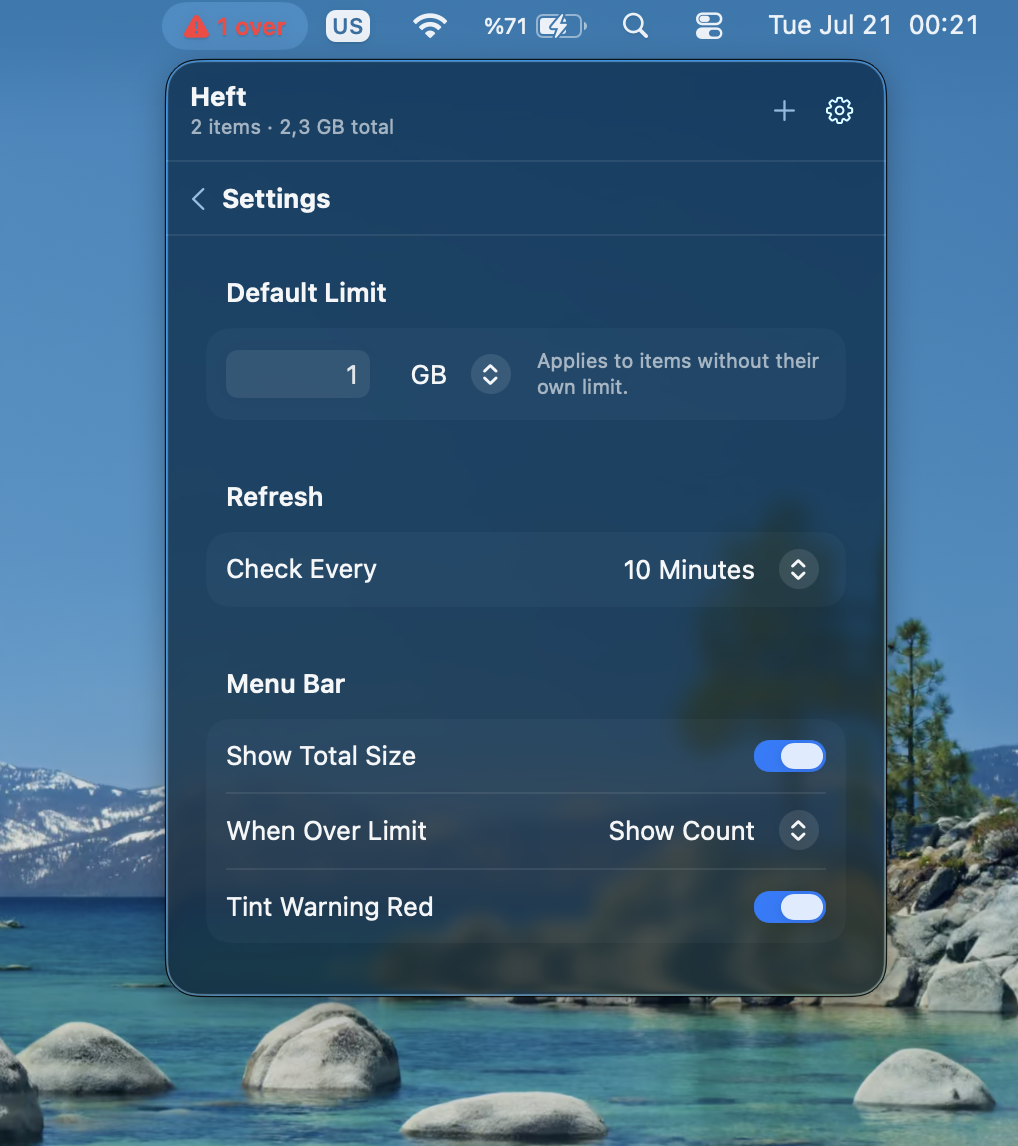
Every item gets a size-over-time chart and a live growth rate, so a runaway log file shows up as a climbing line — not as a full disk on deadline day. Reveal it in Finder, pause tracking, or clean it up and watch the line drop.
My Docker data had quietly grown to 40 GB. Heft flagged it on day one — I got half my disk back in ten minutes.
Questions
What can I track?
Any file or folder on your Mac — Downloads, project folders, node_modules, Docker data, backups, logs. If it has a size, Heft can watch it.
Will it slow down my Mac?
No. Heft is a tiny menu bar app that checks sizes on the interval you pick — every 10 minutes by default — and does nothing in between. No indexing, no constant disk scanning.
Does Heft delete anything?
Never. Heft only watches and warns. When something is over its limit, Reveal in Finder takes you straight there so you decide what goes.
Is there a subscription?
No. Heft is a one-time purchase with a full-featured 14-day trial. Minor updates are free.
Know when your folders get heavy.
Heft has no accounts and no telemetry. It reads file sizes locally and nothing ever leaves your Mac.